
MyCha

- Problem
- Tracking apps don't specifically track matcha or include both café and homemade drinks.
- What I did
- Designed and built a native SwiftUI app.
- Outcome
- An AX-compliant, working app that I have been using since August.
- Role
- Sole Designer & Developer
- Platform
- iOS
- Timeline
- Aug 2026 – Present
- Tools
- Xcode, Claude Code, SwiftUI, MapKit
01Overview
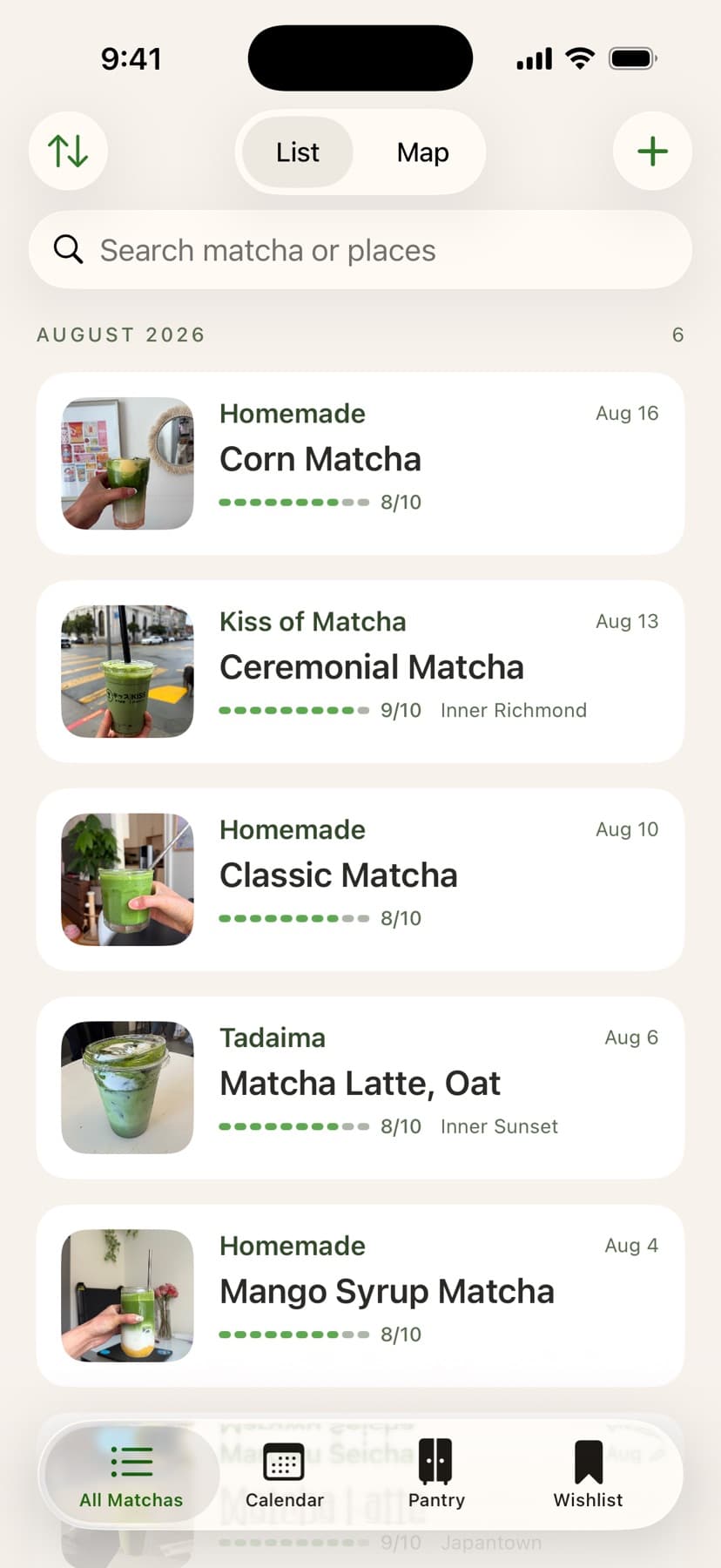
MyCha is a native iOS app that I took from a problem to a working app. I defined it, designed every screen, and built it in SwiftUI. Instead of focusing on reviews for others, it's more of a personal log that includes a journal, map, wishlist, pantry, and calendar.
02Context
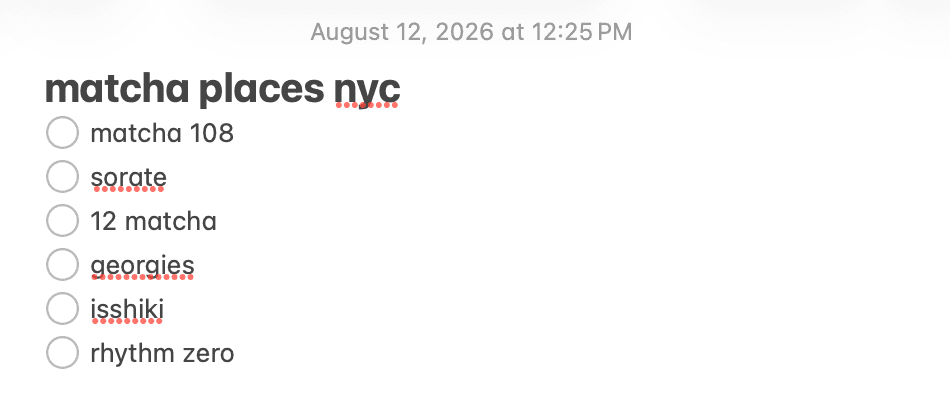
I've had a matcha latte almost daily for the past 10 years, and always struggled to keep track of them. I was tracking the ones I bought in three separate notes, plus my camera roll and texts for the matchas I made at home. My problem was that rating apps list one score, grouped under "coffee & tea," to help you pick where to go, not really remember what you got. Drink trackers, on the other hand, either log only homemade coffee for caffeine content, or only café drinks to see on a map. I wanted to see my matcha across both, and remember what I thought of each one.
The places list
Random list of places to try.
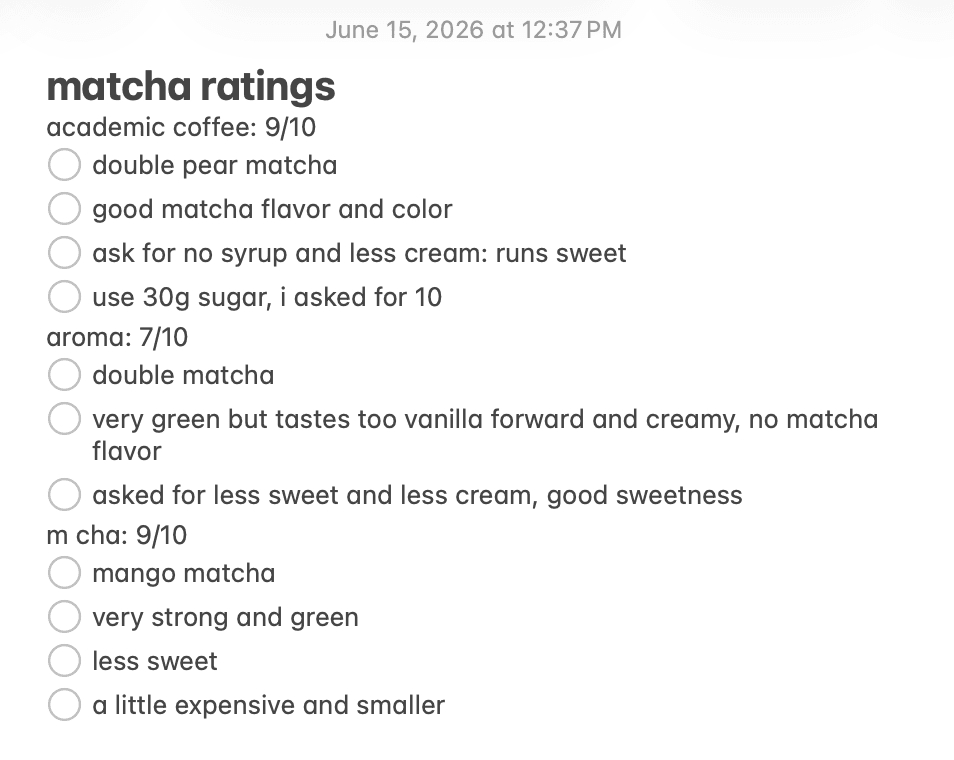
The ratings note
Ratings and notes in a large block of text.
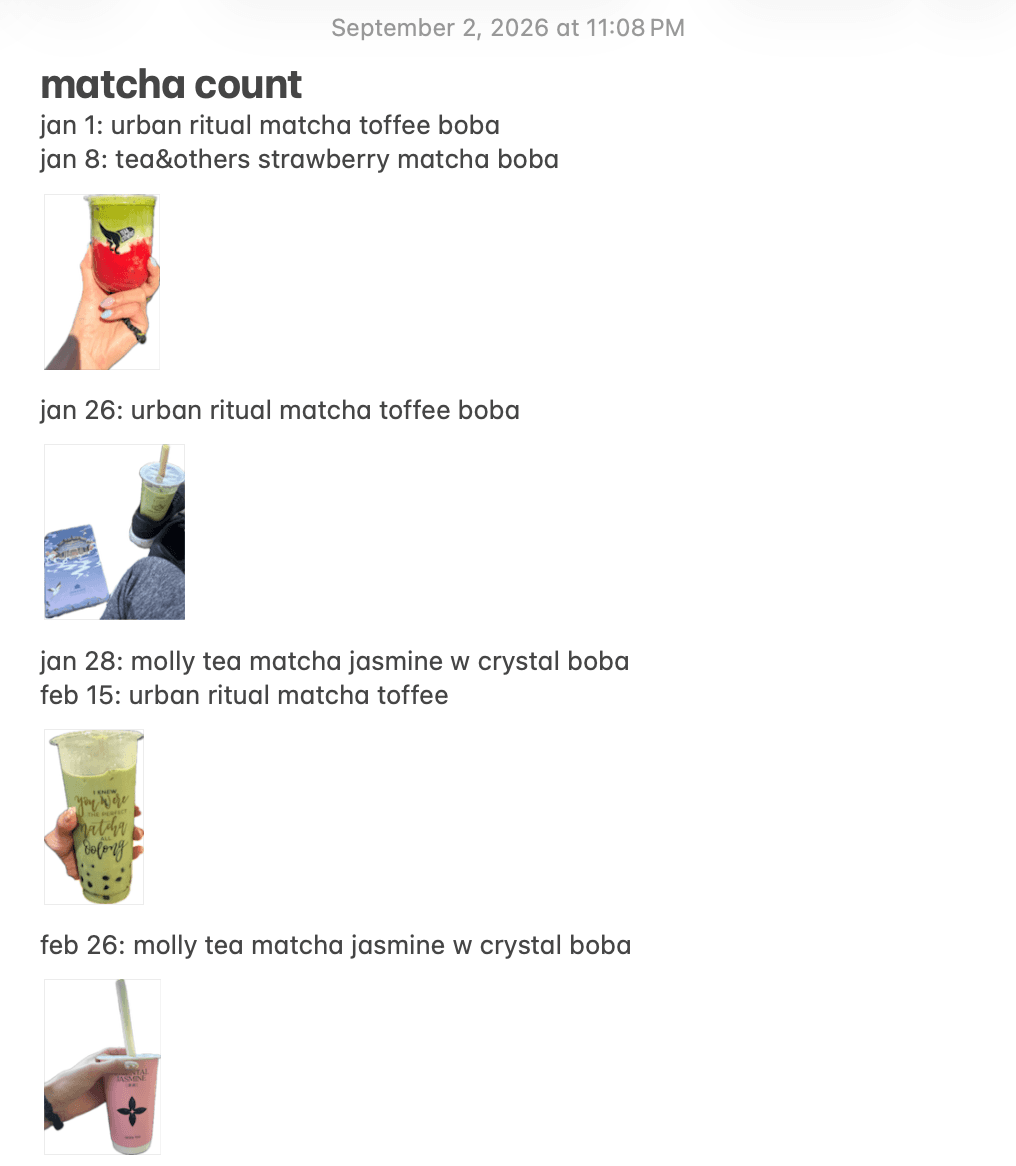
The count
Dated photo log of every matcha that I can't easily tally up.
03Design
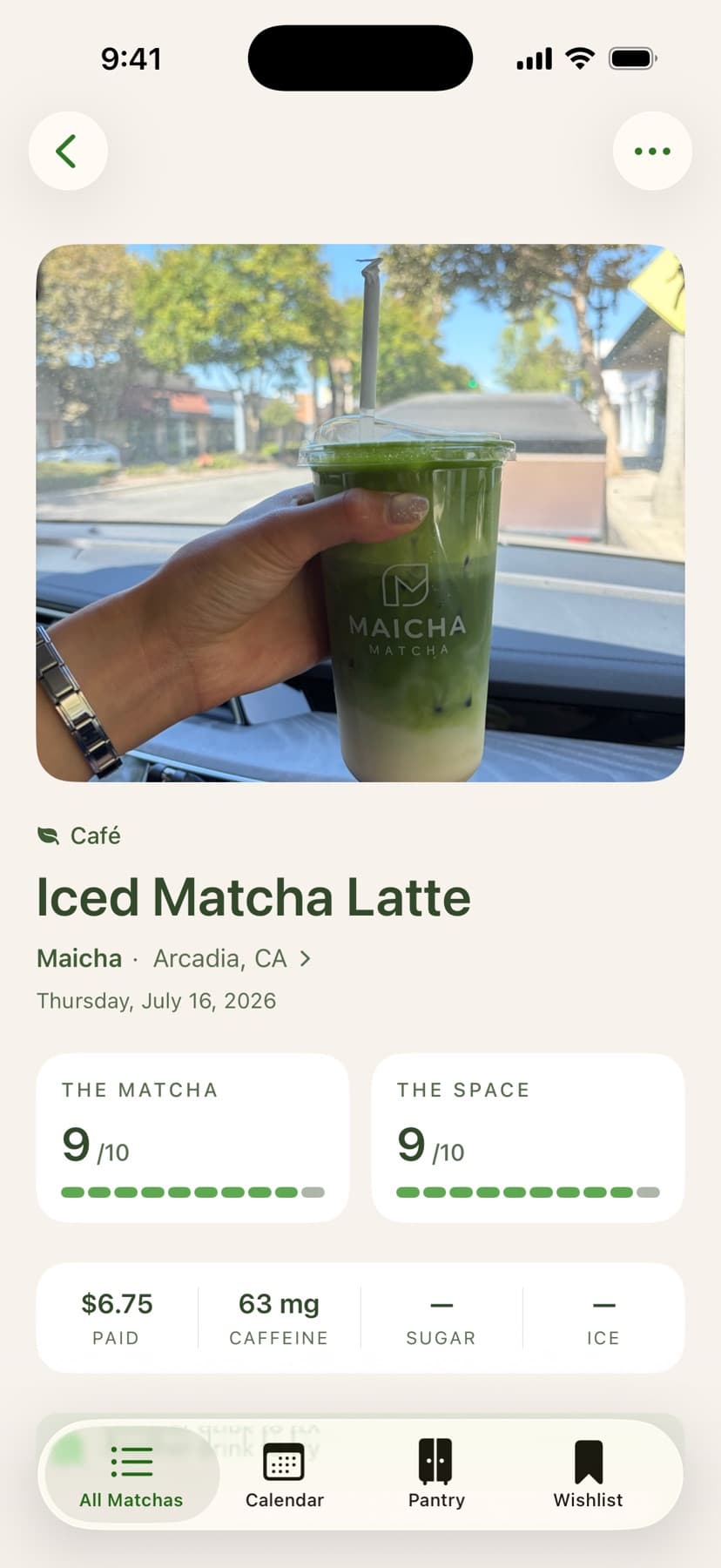
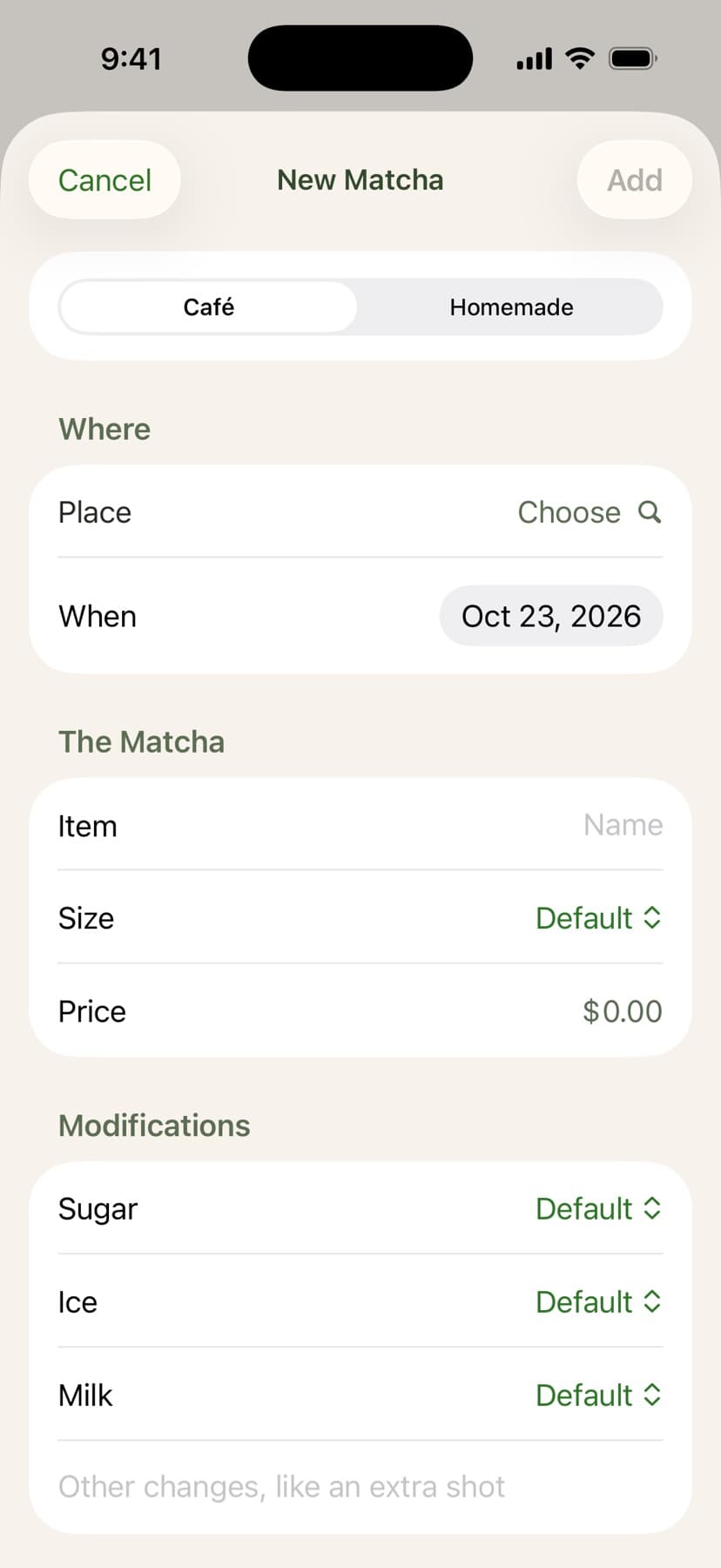
The form fields are determined by a Café / Homemade segmented control. Most fields are optional or autofilled, so logging a matcha takes a few taps.
One log, three views
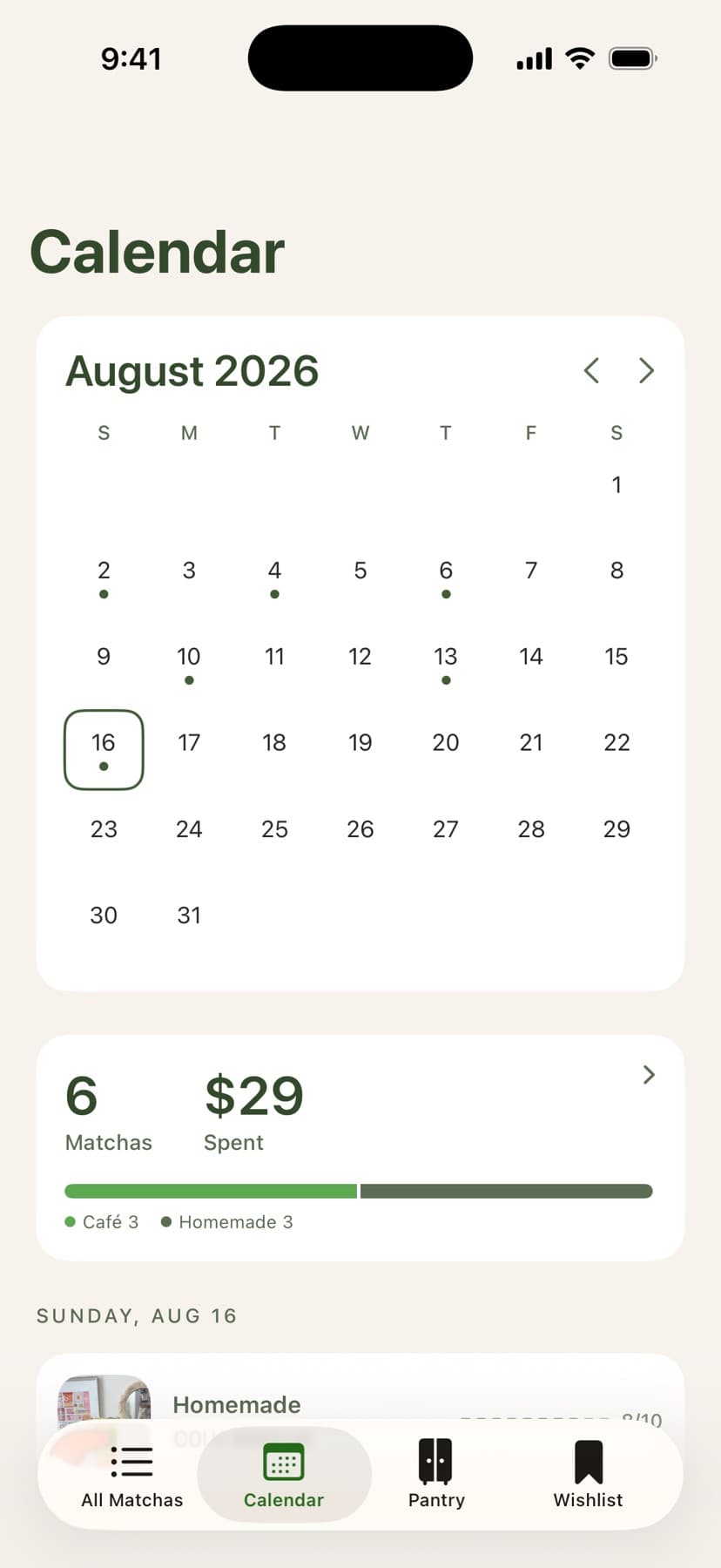
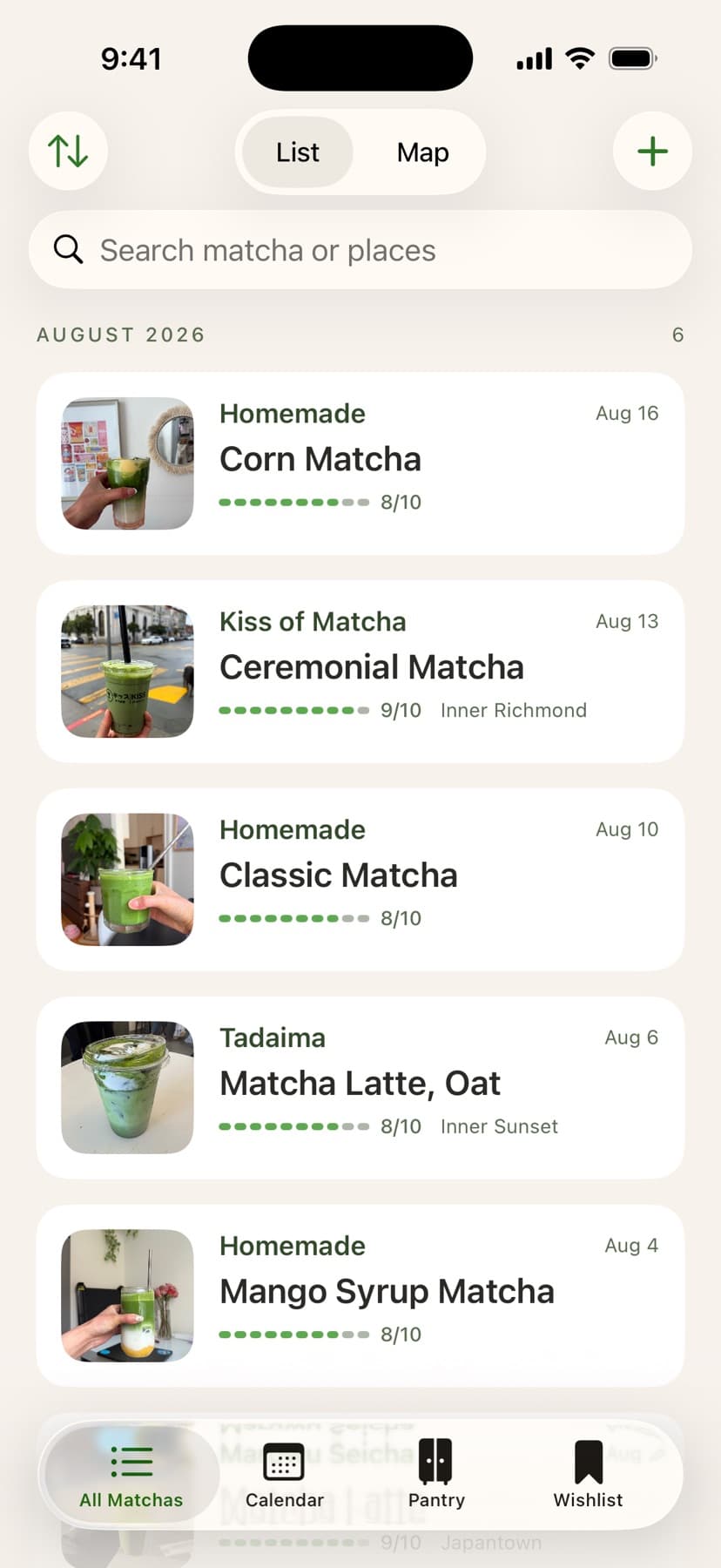
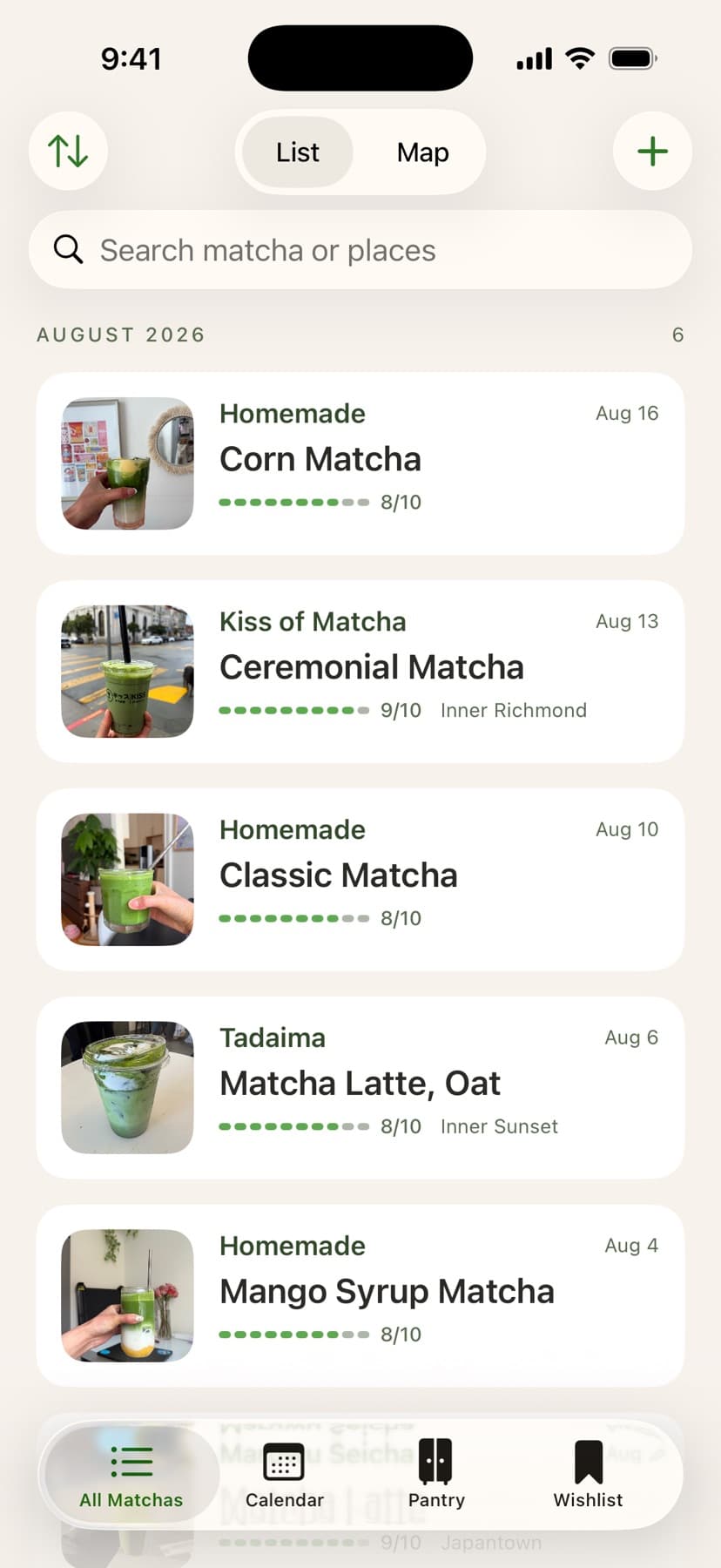
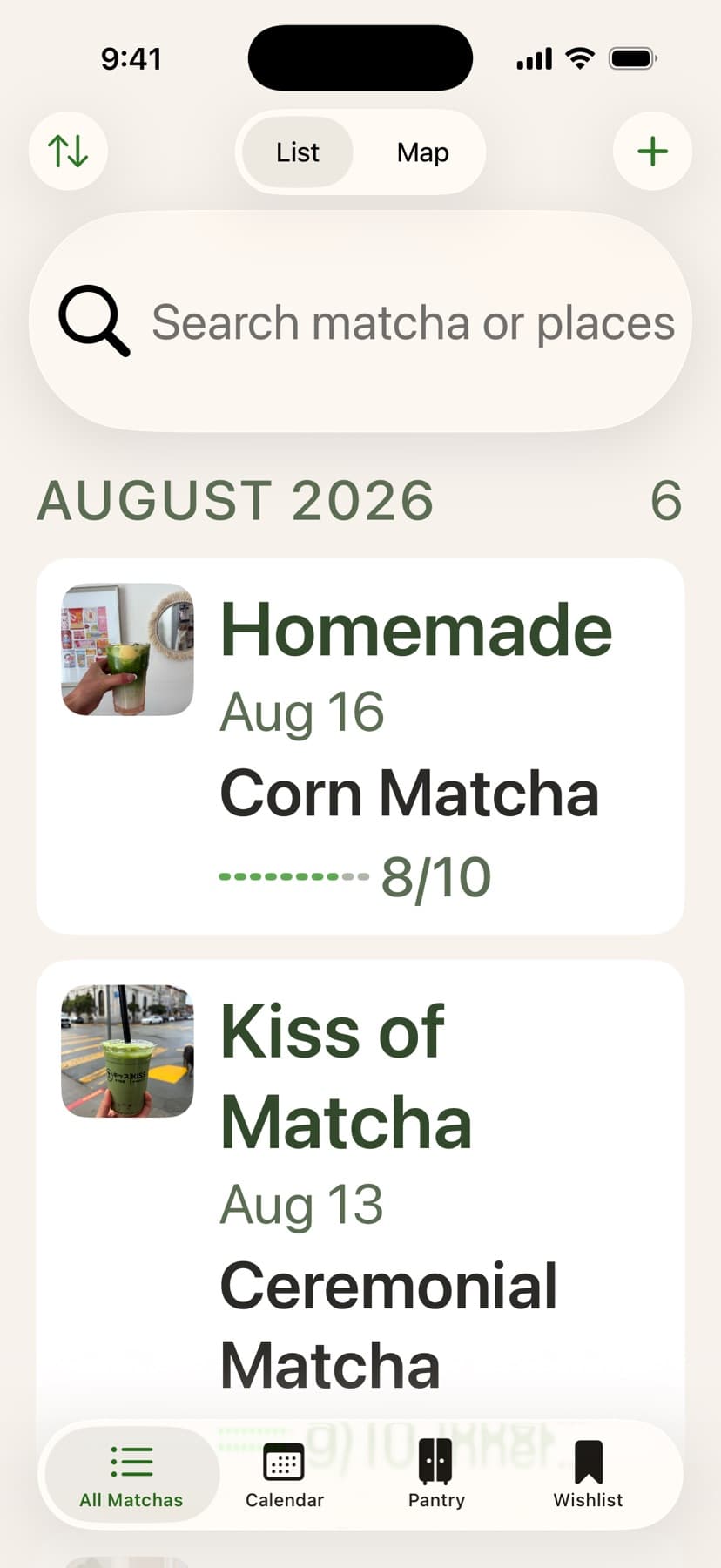
Since logging is the primary use case, the journal is the landing page, with a List / Map toggle for finding a drink by when or where I had it. The list, map, calendar, and each place's page all read from the same data, so nothing has to be logged twice.
List and map
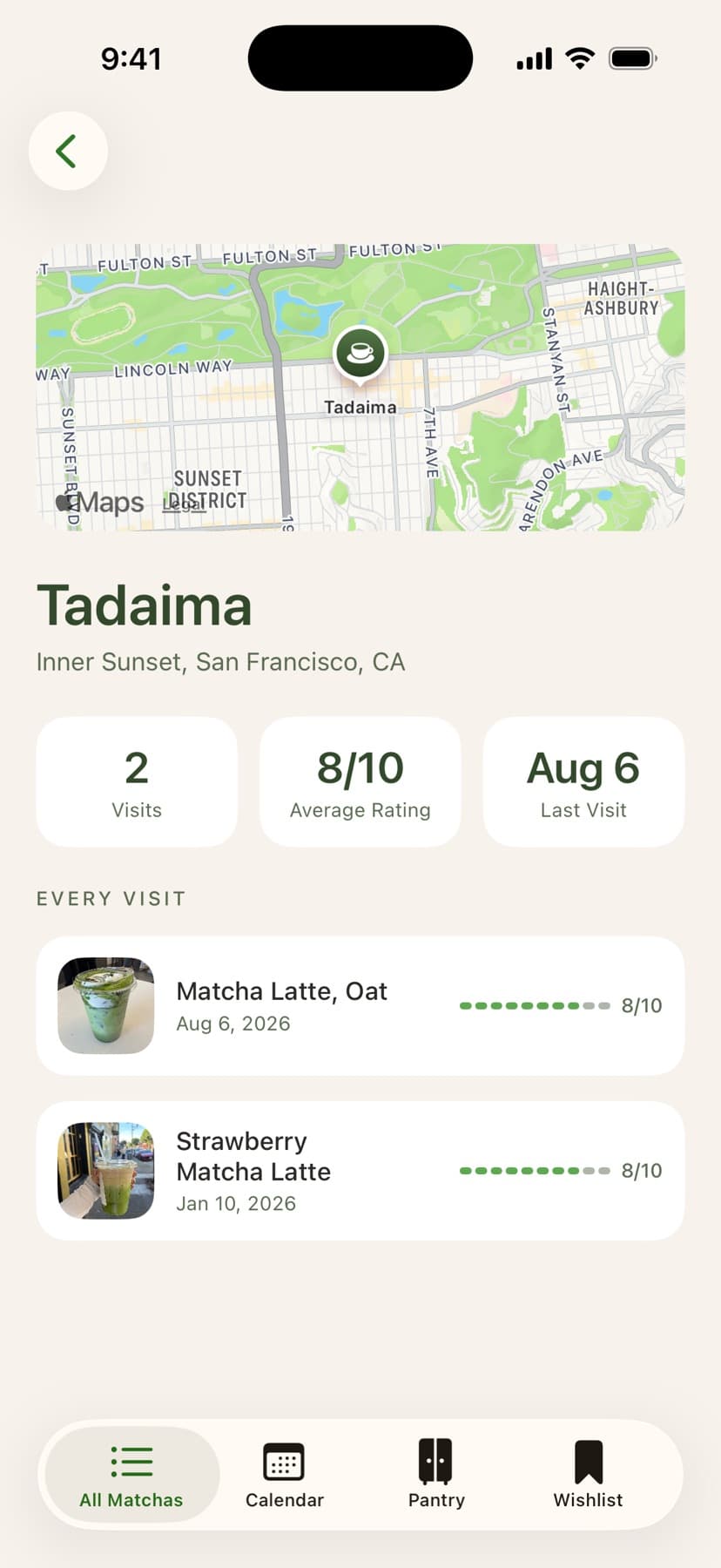
Place
A wishlist and a pantry
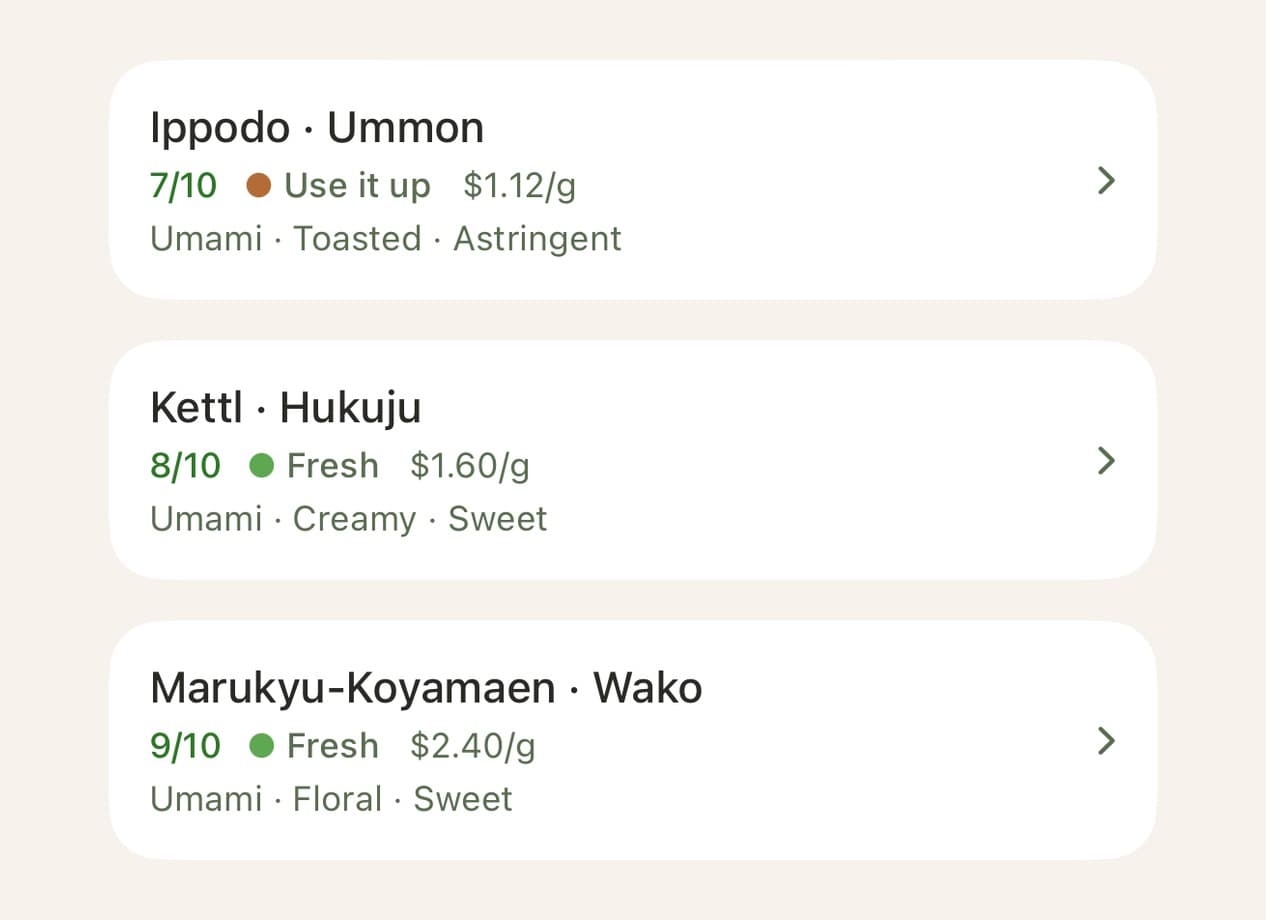
Beyond logging, I wanted to remember where to go next, so the wishlist holds both places worth trying and favorites worth going back to. And since matcha powder loses its freshness once it's opened, the pantry tracks each powder, with freshness automatically calculated from the day it was opened.
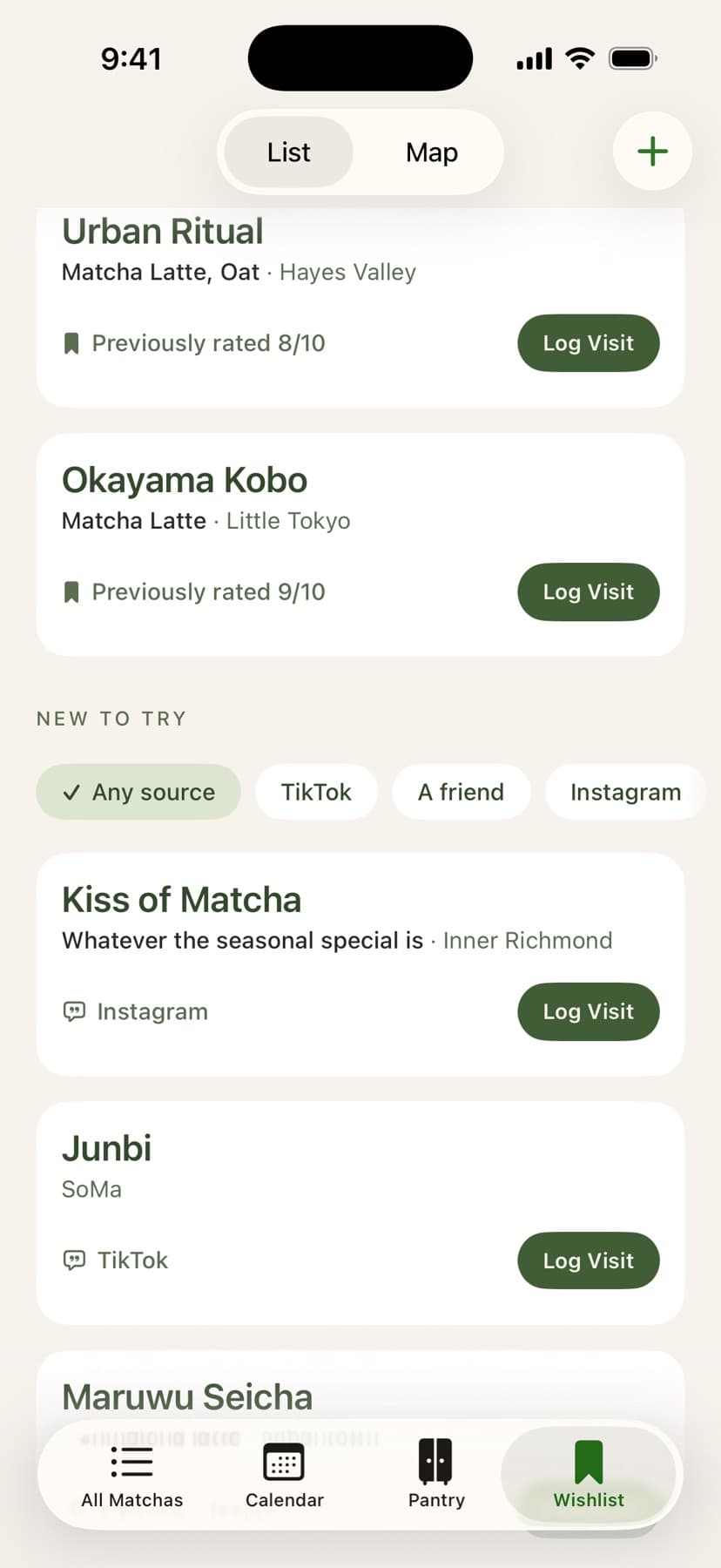
Wishlist
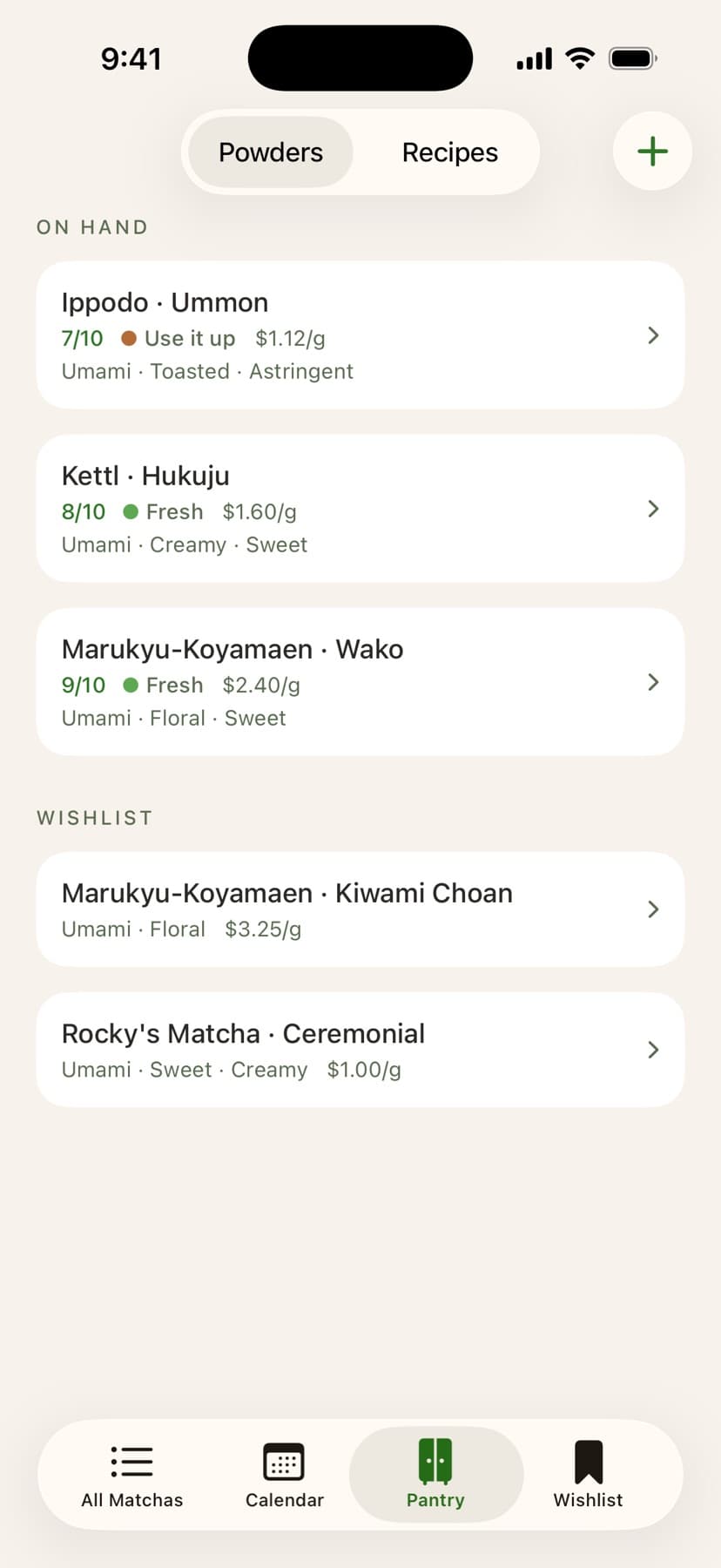
Pantry
04First build to now
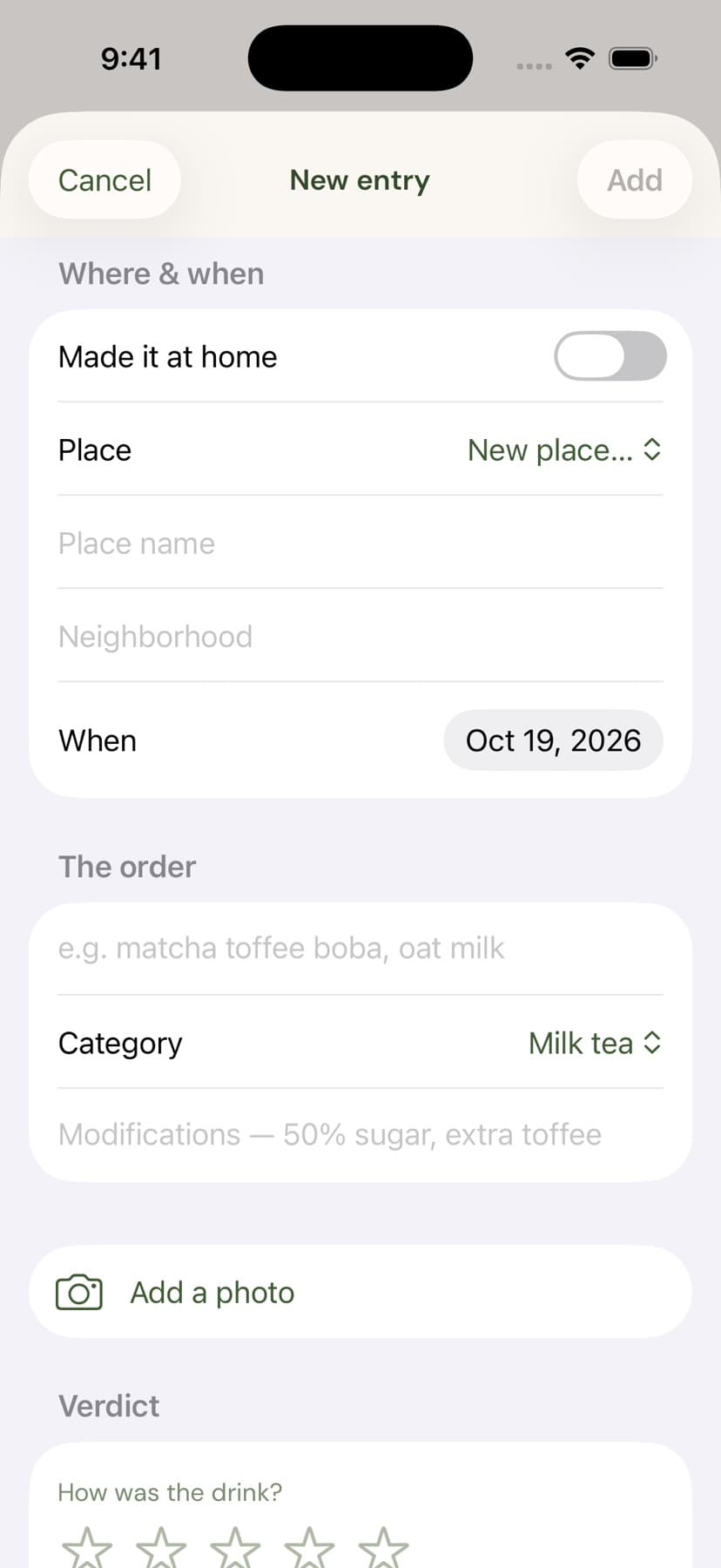
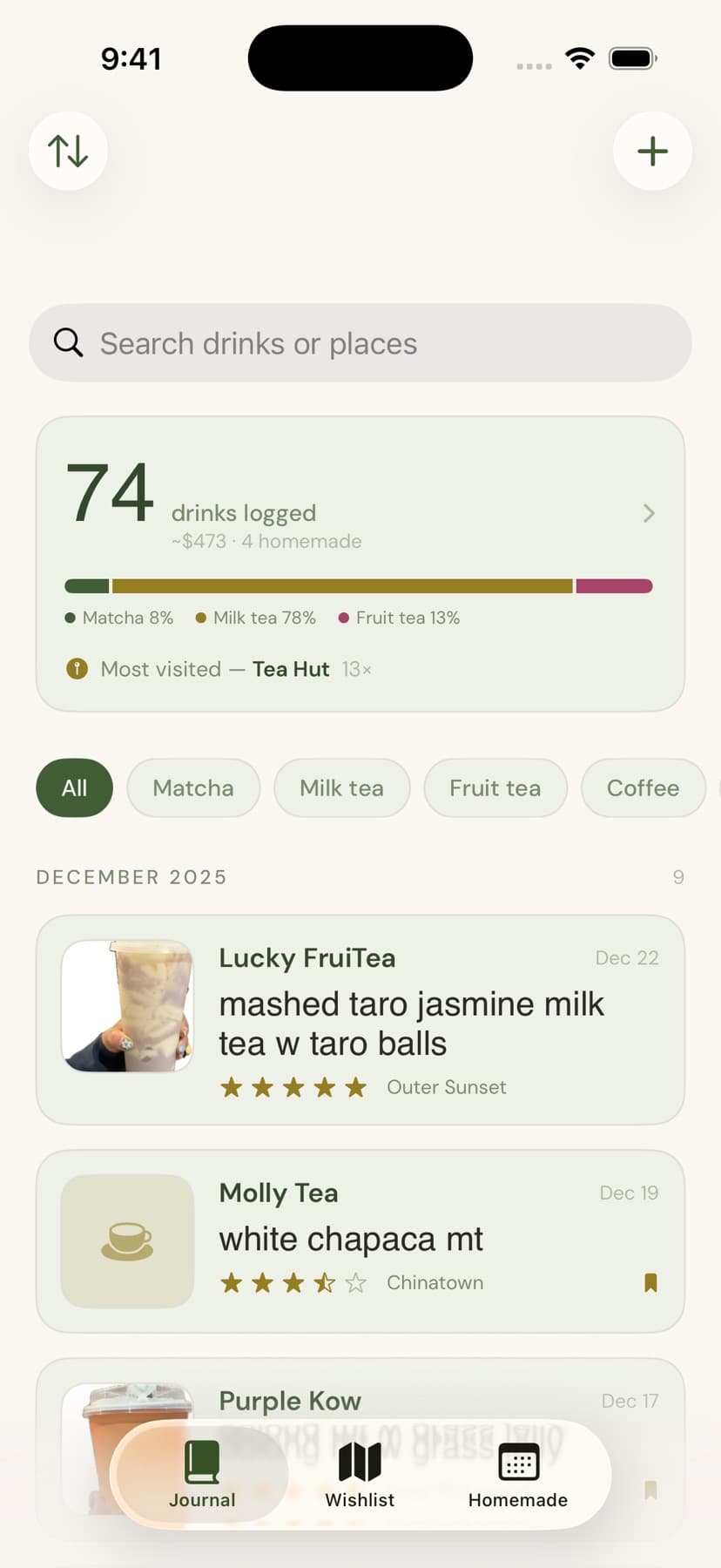
The first build logged every drink I bought: milk tea, fruit tea, coffee. I scoped down to matcha and rethought the information architecture and visual design throughout. Drag to compare the logging form and journal.
Logging
A homemade drink used to go through the café form. Now a segmented control reshapes the form to fit.
Journal
The list opened on a summary panel and category filters. Now it lands on drinks in reverse chronological order.
05Craft
Two scores
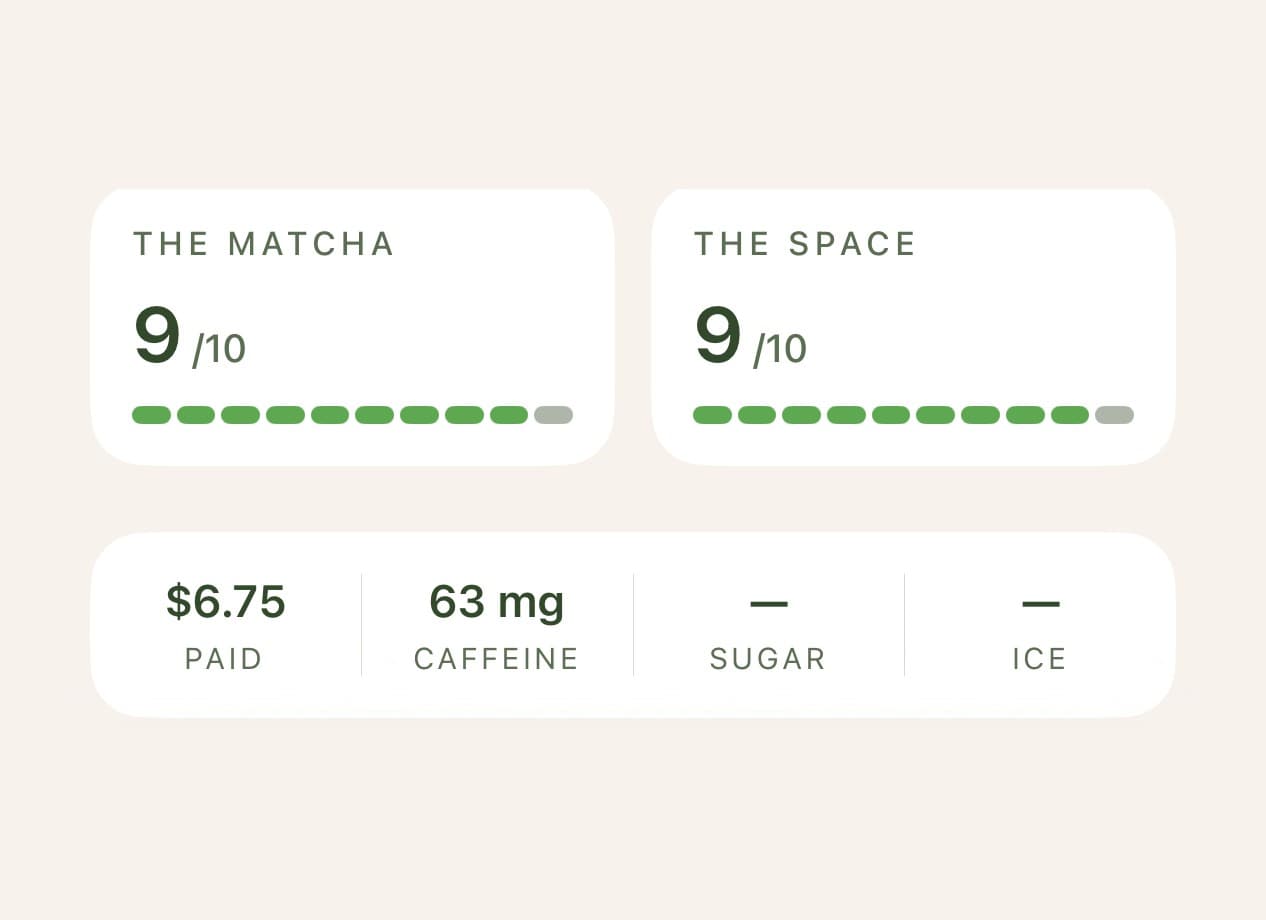
Since sometimes I could be looking more for a great café ambience than the best matcha, I created separate scores for the drink and the space.
Freshness indicator
Every state pairs a dot with a label, so it never relies on color alone. I used amber to indicate a caution rather than an error.
Drawn by hand
I drew each illustration by hand to give MyCha some personality.
Whisk
Empty journal
Tin
Empty pantry
Scoop
No recipes yet
Storefront
Empty wishlist
Leaf
A drink is logged
Badge
A milestone
Logging a drink
A small pill confirms each save.
Milestones
Milestones, including the 10th, 50th, and 100th matcha, earn a badge.
A small design system
Every screen draws from one set of tokens (colors, a type scale, spacing, and corner rounding) and reusable components.
- Ink#2C2A26Body copy11.67:1AA text
- Matcha deep#33492BTitles, place names8.04:1AA text
- Matcha#405D35Primary text, buttons6.03:1AA text
- Sage#5B6D52Secondary text, captions, dates4.56:1AA text
- Accent ink#2E7727Green text, tint, selected chips4.52:1AA text
- Accent#5EA851Rating bars and fills, always paired with a number or label, never text2.38:1Fill only
- Caution#B36C35A fading tin's status dot3.35:1AA graphic
Readable at every text size
Every text style scales with the reader's text size.
- MaichaPlace and recipe titles32 semibold62pt capped
- Iced Matcha LatteDrink titles, hero numbers30 semibold58pt capped
- August 2026Month headers, stats24 semibold47pt capped
- Classic MatchaDrink on a journal card19 semibold37pt capped
- HomemadePlace names, row titles15 semibold47pt scales fully
- Made at homeBody and labels13 regular41pt scales fully
- Thursday, October 15, 2026Dates and captions11 regular34pt scales fully
- The matchaEyebrows11 medium34pt scales fully
Default size
Largest accessibility size
06How I built it
I built MyCha with Claude Code. For me as a designer, AI has allowed me to build in new ways, but it hasn't replaced craft. I came up with the design first, let AI take me there, and then continued to iterate with design principles in mind. AI is not the one deciding the design, it is simply a tool to empower it.
07Reflection
My first round of user testing revealed to me what I couldn't see as the only user. When testers attempted to log matchas, certain copy did not translate clearly. Furthermore, the map search seemed to do nothing because the map never moved. I rewrote the labels and made the map zoom to the results and list them as cards. I look forward to testing with more people to continue improving the MyCha experience.